
How Webshare WorksFeaturesSupport
Features
Branding
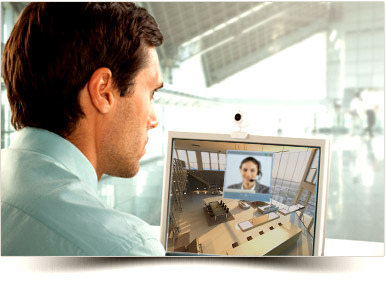 Image is everything! With virtually no effort WebShare can be branded with your logo. And if WebShare is part of a service offering end-clients can easily customize the software for their own purposes. Purchase options include single brand and unlimited brands to support multiple service providers.
- Header and footer logo upload
- 10 color options
- Customizable terms of service
Advanced Reporting Capabilities
WebShare includes advanced reporting features to track usage. Data can be downloaded into Excel for further analysis.
Report formats include:
- Conference Charges by Date and Conference Room
- Usage reports
- Traffic reports
- Meeting sessions
- Concurrent ports
Scheduling
WebShare offers the capability to schedule meetings in advance and remind meeting participants about upcoming meetings and follow-up activity.
- Date Range from Built-In Calendaring Functionality
- Delivery of automated reminders
- Automated follow-up email capability
Sharing
WebShare allows users to share their desktop, deliver a ‘live’ video sales presentation, conduct a webinar, or provide online training. Sharing functionality includes:
- Desktop viewing
- Flash video share
- Instantaneous presenter change
- Built in chat capabilities or privately converse with participants
- Drawing tools applied to any presentation software (PPT, XLS, Word etc) allowing point, draw or highlighting of content
Recording
WebShare allows users to record meeting information and presentation content for use at a later viewing. Features include:
- Voice and screen simultaneous recording
- Recording of full meetings and storage to save content
- Ability to share video content outside of the system just like YouTube
- Post to Facebook and Twitter
Library
Comprehensive storage of multi-media documents such as PowerPoint, video content and other materials including pre-recorded presentations. Services include:
- Storage for PowerPoint, Excel, Word Documents, MP3 etc
- Cloud-based storage to train and share
- Solves bandwidth issues for company-wide presentation content
- Sub directories for every web conference user including individual library storage
- Ability to share streaming video
- Interactive white board and images store
Polling & Survey Capabilities
Advanced polling and survey features are a requirement for managing large conferences and training efforts in order to gauge impact and ensure message impact.
- Present polling questions verbally or on the white board
- One click polling response
- Automatic tabulation on moderator panel
Audio Service
No cost audio functionality makes web conferencing affordable and easy to access by browser.
- Built in VoIP functionality
- Teleconference bridge integration
Conference Room Management
Better administrative tools help enterprise organizations to organize and distribute web conferencing capabilities on a global basis. Key administrative features include:
- Create and delete conference rooms
- Live conference viewer with click to dial functionality to add a caller
- Email summaries to multiple people
- Email conference room codes to users
- Set up groups
- Set up accounts
- Test bandwidth
- Establish password
- Set up profiles
- In system conference call administrative emails
- Real-time caller-ID information
Security
As secure as the corporate network, WebShare can be opened up to outside participants without additional risk, especially important for sharing financial or medical information.
- End-to-end encryption
- User Authentication
- One-Time meeting passwords